
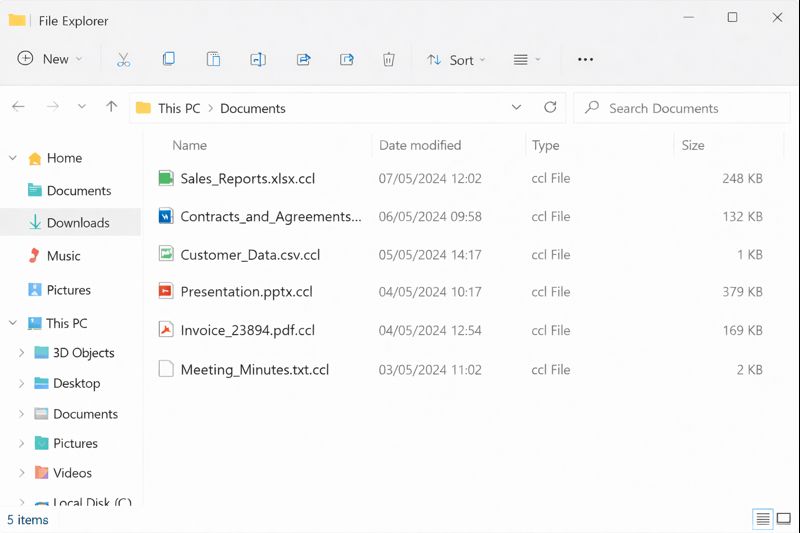
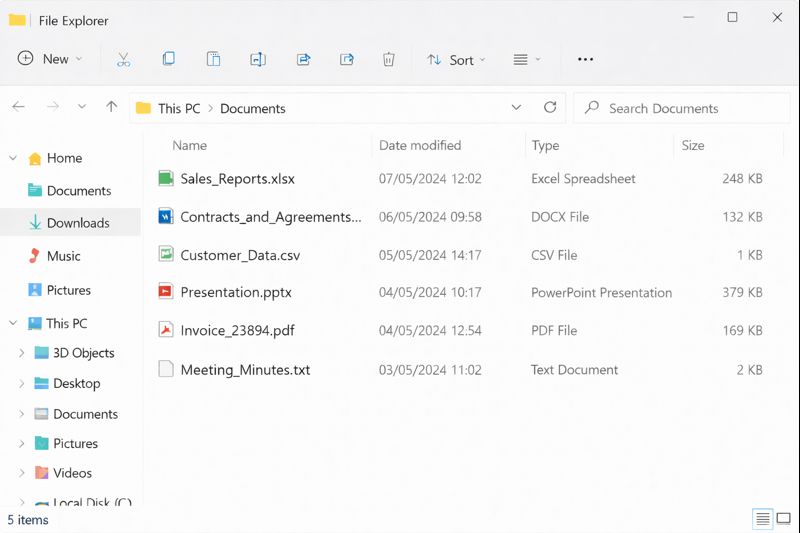
A fast-growing company in India started a normal workday with subtle issues. Users could log in, but key business applications felt slow. Minutes later, shared folders failed to open, reports broke, and some services stopped responding. When the IT team checked the main data server, they found that core business files had been renamed with a new extension .ccl, and a single ransom note file named RECOVER_README.txt was sitting in a critical directory. At that point, it was clear: CCLand Ransomware had encrypted important business data and the company was in a live incident.
What happened in the next few hours decided whether this became a long, expensive outage or a controlled recovery.
How CCLand Ransomware Hit Business Data in India
CCLand Ransomware did not shut down the entire infrastructure. Desktops still booted, email still worked, and some cloud tools remained online. The real problem was deeper.
The attack hit:
- File shares that held contracts, financial reports, and working documents.
- Export folders used by ERP, CRM, and billing systems.
- A set of data directories feeding internal dashboards.
This meant staff lost access to the information that actually runs the business. Finance could not finalize numbers. Sales could not see committed orders. Management lost visibility into current performance.
Containment First: Stop the Damage
The team resisted the urge to “try things” and focused on containment.
They immediately:
- Disconnected affected servers and storage from the network.
- Disabled non-essential remote access (RDP, VPN accounts not strictly needed).
- Instructed staff to stop opening files from shared drives and not to download random “decryptor” tools.
- Collected a small set of encrypted samples and key system logs for later analysis.
This step was critical. It stopped CCLand Ransomware from spreading to remaining servers, endpoints, and backup systems that might still be clean. It also preserved evidence for a proper technical assessment.
Explaining the Situation to Management in Plain Language
Next, IT and operations prepared a short update for management. The goal was clarity, not technical detail.
They answered three questions:
- What is affected? Shared business data, application exports, and some reporting folders.
- What still works? Email, some cloud applications, and core authentication services.
- What is at risk? Invoices, decision-making, project timelines, and customer trust if recovery drags on.
This framing helped leadership understand that this was a serious CCLand Ransomware incident, but not a total collapse. They agreed to back a structured recovery plan and avoid rushing into a ransom payment.
Technical Assessment and Involving Specialists
With containment in place and management aligned, the team went into technical assessment.
They mapped:
- Exactly which folders, volumes, and servers held encrypted data.
- Where original data truly lived: databases, third-party SaaS, or external partner systems.
- Which backups existed, where they were stored, and whether any were offline or offsite.
After collecting samples and logs, the organisation contacted ransomware specialists via FixRansomware.com and submitted sample files securely through app.FixRansomware.com. The goal was to confirm the CCLand Ransomware family, understand realistic recovery options, and avoid destructive trial-and-error.
For high-level guidance, the team also used the official CISA Ransomware Guide (CISA/MS-ISAC Ransomware Guide), which stresses isolating systems, analysing impact, and restoring from trusted sources.
Bringing Critical Business Data Back Online
Once they had enough information, the company and specialists built a recovery plan focused on business impact, not just file counts.
Key steps:
- Clone affected disks before testing
The team created sector-level clones of volumes containing encrypted business data. All tests and any potential decryption efforts happened on clones, keeping original disks untouched. - Identify and validate clean backups
Backup sets taken before the attack were identified and validated in a separate environment. These became the base for restoring critical data shares and application exports. - Restore by business priority, not by technical convenience
Data supporting revenue, billing, and active projects was restored first. Historic archives and low-priority folders were scheduled for later. - Rebuild recent data where backups were incomplete
For recent periods with gaps, the team reconstructed data using email attachments, exports from cloud systems, and files from endpoints that were not encrypted. Every manual correction was logged and approved by data owners. - Test workflows end-to-end before reopening access
Finance, operations, and sales tested restored workflows: raising an order, generating an invoice, updating a report. Only after those flows worked reliably did the company reopen broader access.
Practical Lessons from a CCLand Ransomware Case
In the end, the organisation in India brought critical business data back online without paying ransom. The CCLand Ransomware incident left several practical lessons:
- Business data needs layered backups, including at least one offline or immutable copy.
- File servers and export directories are as critical as application servers and must be protected accordingly.
- A concise, rehearsed incident response plan cuts down confusion and saves hours when an attack hits.
The case showed how quickly CCLand Ransomware can encrypt business data in India, but it also proved that disciplined containment, clear communication, structured assessment, and expert support can turn a crisis into a controlled recovery.