
It started with a familiar complaint: “The shared folder is acting weird.” In a South Africa office, department shares that normally held contracts, HR templates, customer documents, and monthly reports suddenly stopped opening. A few users saw files renamed with an unfamiliar extension .35RUT. Minutes later, the same directories showed a ransom note named !HOW TO RESTORE!.txt. At that point, the incident was no longer a minor IT glitch. It was a VantaBlack ransomware event, and the business had to move fast.
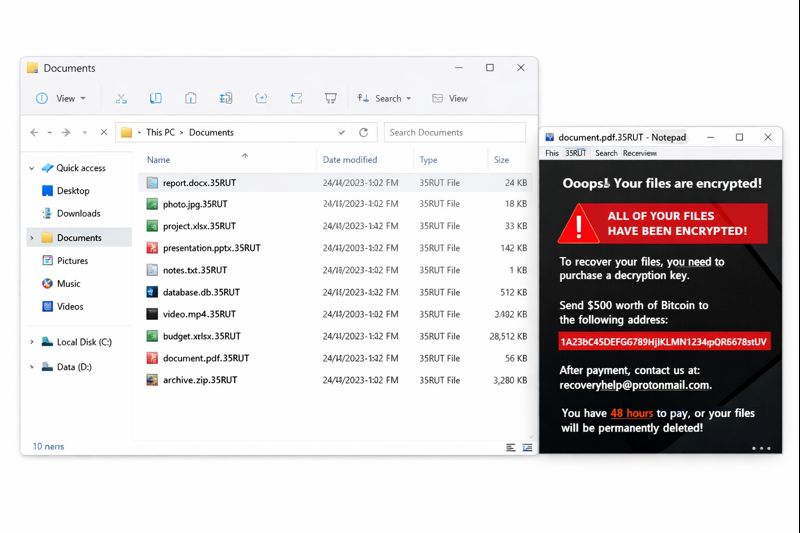
This case is a practical walkthrough of what worked. It focuses on containment, decision-making, and recovery steps that helped teams regain access to department shares without turning a bad day into a permanent loss.
What the Attack Looked Like on Department Shares
Department shares are a perfect target. They centralize what teams need to operate. VantaBlack ransomware typically hits where daily work lives, such as:
- Sales and customer folders (quotes, signed agreements, email exports)
- HR and admin folders (policies, staff forms, onboarding files)
- Operations folders (inventory sheets, SOPs, purchase documents)
- Reporting folders (monthly KPI decks, spreadsheets, audit files)
Users can still log in. Email may still work. However, when the shared drive becomes unreadable, the business effectively loses its memory. That is why department shares in South Africa went from “slow” to “stopped” within hours.
First 60 Minutes: Containment Beats Guesswork
The best recovery stories start with strict containment. That means stopping spread before any “fix” attempts.
The response team took these actions immediately:
- Disconnected affected endpoints and file servers from the network.
- Paused sync and scheduled tasks that touched the shares.
- Disabled non-essential remote access and reviewed privileged accounts.
- Told staff not to rename files, not to move encrypted folders, and not to run random tools.
This step mattered because ransomware often spreads laterally. If one endpoint still had access to the share, it could encrypt more files even after you notice the problem. Containment also preserved evidence for analysis later.
Communicating to Management Without Creating Panic
Next, the team briefed leadership using business language:
- What is affected: department shares, core documents, and reporting files.
- What still works: some apps, email, and systems that do not depend on those shares.
- What is at risk: delivery timelines, compliance reporting, and customer commitments.
Because leadership understood the operational impact, they supported a controlled recovery plan. They also avoided the worst reflex: paying the ransom quickly just to “make it go away.”
Why Paying the Ransom Was Not the Plan
The ransom note usually promises a key after payment. In reality, payment can fail in several ways:
- Attackers do not respond or provide a broken decryptor.
- Decryption works partially and corrupts documents.
- Data may have been stolen, enabling follow-on extortion.
Instead, the team followed widely accepted guidance from the CISA StopRansomware Ransomware Guide. The principle is simple: isolate, assess, restore from trusted sources, and harden the environment.
Assessing Damage and Finding the Clean Line
After containment, the team focused on answering a few critical questions:
- Which shares are encrypted and which are still clean?
- Which server or device was “patient zero”?
- When did encryption likely start, and what backups exist before that time?
They collected a small set of encrypted samples, the ransom note, system logs, and a quick inventory of affected directories. Most importantly, they did not experiment on original data. Instead, they planned to work on clones and restored copies first.
The Recovery Path That Brought Files Back
The recovery process prioritized speed and safety, not shortcuts.
- Clone first
Before any major action, the team created disk clones of affected systems. Clones preserved evidence and protected original data from accidental damage. - Validate backups
Next, they restored backups into an isolated environment. They checked integrity and confirmed those backups were taken before VantaBlack encrypted the shares. Only clean backups moved forward. - Restore by business priority
They restored department shares in order of urgency. Contracts and operations documents came first. Archives and older folders came later. - Rebuild missing gaps
Backups rarely cover everything. For the time window between the last clean backup and the attack, the team rebuilt critical files from:
- email attachments
- exports from business apps
- local documents on unaffected devices
- Verify end-to-end workflows
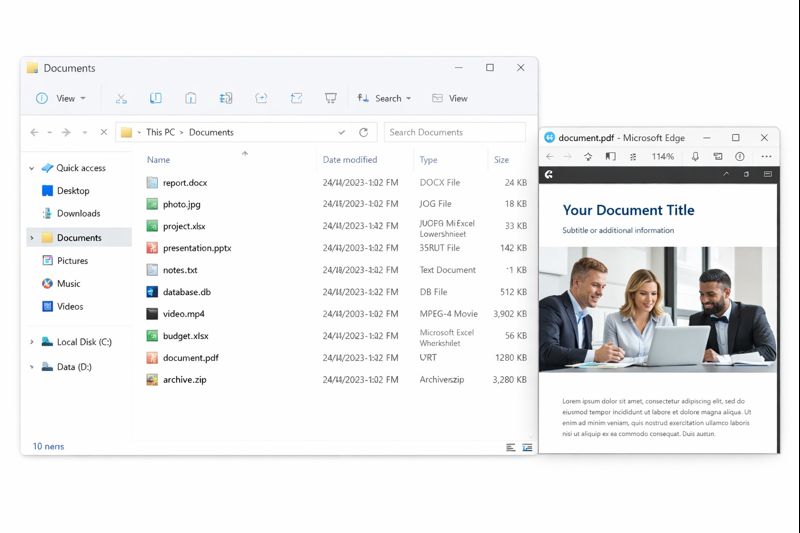
Finally, teams tested real workflows: open file, edit, save, share, generate a report. When those steps worked, the shares reopened to users in phases.
If the situation requires specialist support, organizations can review options at FixRansomware.com and submit small samples for analysis via app.FixRansomware.com. The key is controlled analysis, not uncontrolled trial and error.
Practical Lessons for South Africa Teams
This incident reinforced a few non-negotiables:
- Treat department shares as critical infrastructure.
- Keep layered backups, including offline or immutable copies.
- Limit admin access and audit it regularly.
- Train staff on phishing and unsafe downloads.
- Maintain a ransomware response checklist that everyone can follow.
VantaBlack ransomware can lock department shares fast. Yet teams in South Africa proved that disciplined containment and a clean recovery plan can bring files back without funding criminals.